Your first week in Nestr: a step-by-step quickstart

by
Joost Schouten
Co-founder and Circle Lead at Nestr
Published on
March 30, 2026

Welcome to Nestr! Whether you're setting up self-organisation for the first time or migrating from another tool, this guide will get you productive in your first week.

Day 1: Set up your workspace

  1. Create your workspace at app.nestr.io.
  2. The setup wizard will ask you to:
    • Choose a governance model: General (flexible), Sociocracy, or Holacracy.
    • Choose between AI-generated structure (describe your organisation and let Nestradamus suggest circles and roles) or manual setup.
  3. Give your workspace a name and purpose.

[SCREENSHOT #1]

For more detail, see Setting up a new collaborative workspace.

Day 2: Build your structure

  1. Navigate to your workspace and click the Structure tab.
  2. Click Add sub-circle to create your first team/circle.
  3. Inside the circle, click Add role to define roles with clear purpose and accountabilities.
  4. Assign yourself and your team members to their roles.
Create a starting structure that is rooted in reality

For details, see Building your org structure.

Day 3: Invite your team

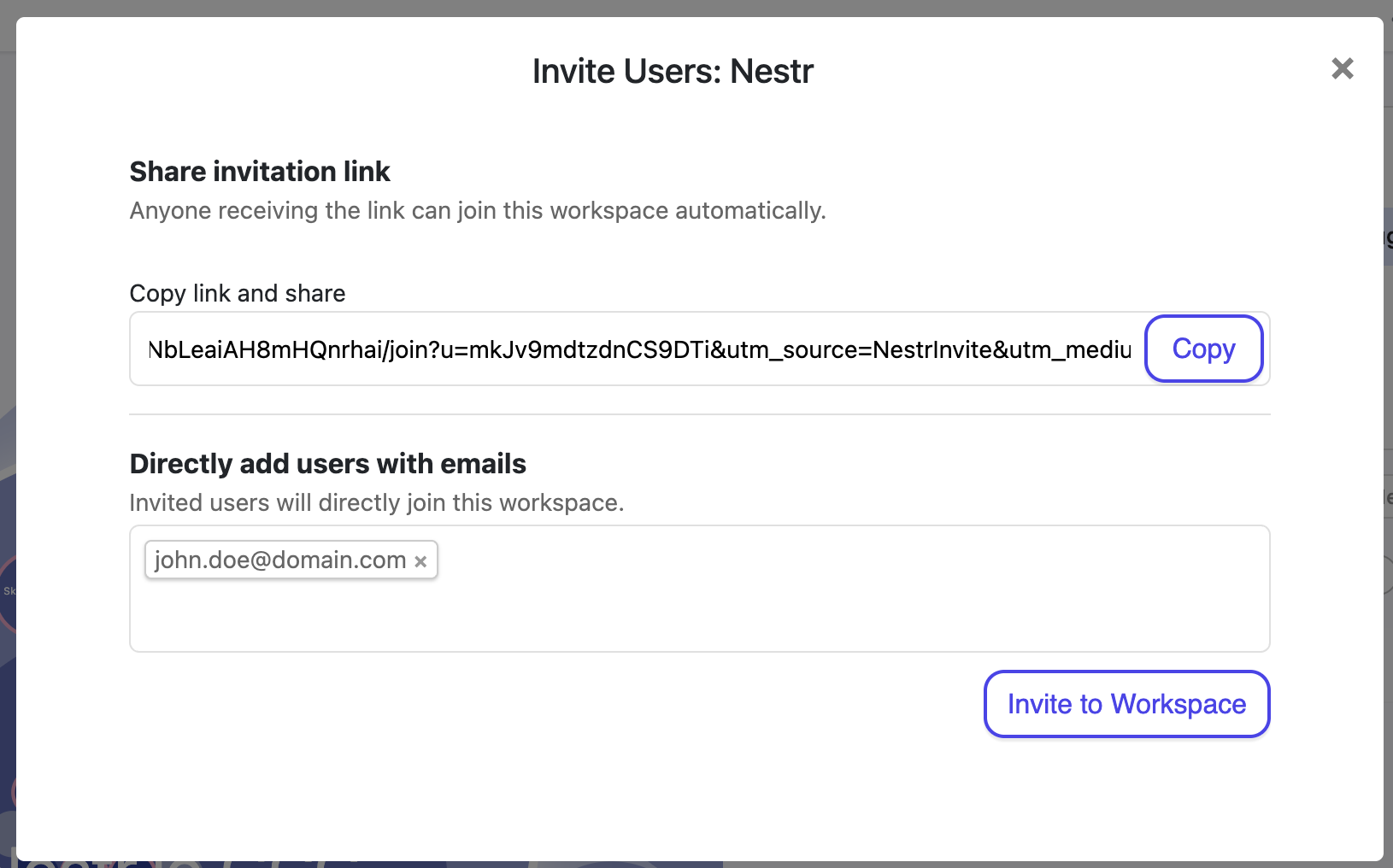
  1. Go to Workspace settings → Users.
  2. Click Invite users and enter their email addresses.
  3. Or share the invite link directly.
Invite your team
Invite your team

Point new members to Invited into a workspace? How to get started.

Day 4: Run your first meeting

  1. Navigate to a circle and click Work → Meetings.
  2. Click New circle meeting.
  3. Walk through the meeting tabs: Check-in → Projects → Tension review → Reflect → Close meeting.
  4. Practice adding agenda items and capturing outcomes.

For the full guide, see Running meetings in Nestr.

Day 5: Start tracking work

  1. Click My projects in the sidebar.
  2. Click New project, select a role, and give it a name.
  3. Try the kanban board: drag projects between Future, Current, Waiting, and Done.
  4. Create some todos under your projects for next actions.
Track your work they way you want it.

See Projects & todos for the complete guide.

Key concepts glossary

TermMeaningWorkspaceYour organisation or team's home in NestrCircleA self-governing team that contains roles and can nest within other circlesRoleA set of responsibilities with a clear purpose, accountabilities, and domainsTensionA gap between current reality and what could be — the driver of organisational changeGovernanceThe process of evolving your structure through proposals and consentProjectA multi-step outcome tracked under a roleTodoA single next action, can be standalone or nested under a projectKanban boardVisual board showing projects by status: Future, Current, Waiting, Done

Where to find help