
As your organisation grows, circles need to coordinate across boundaries. Nestr has two mechanisms for that, and they work differently: a rep link carries a circle's voice upward to its parent, and a cross-link invites a role from one circle into another so the same role operates in both.
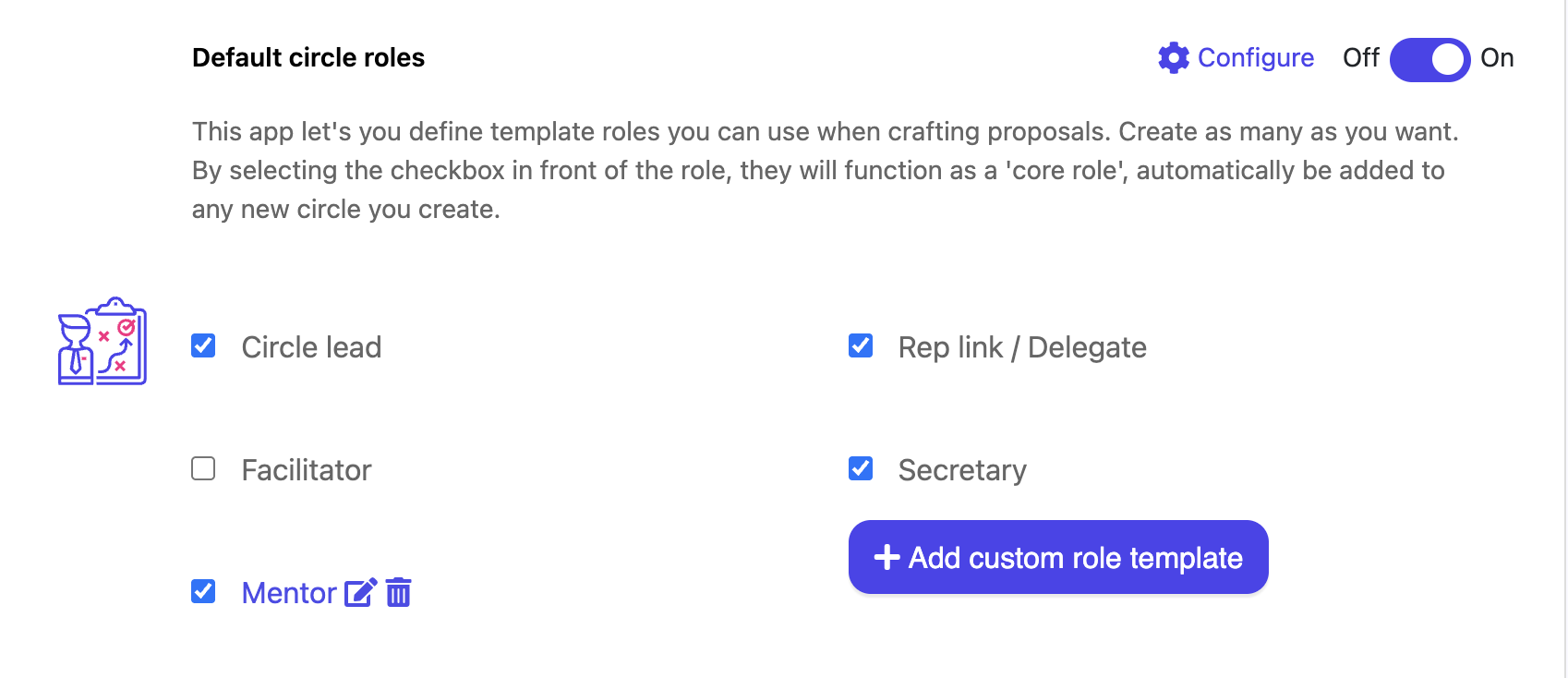
The rep link is one of the four role templates Nestr ships with, and like the others it is added to every new circle as long as it is ticked as a core role in Workspace settings → Applications → Default circle roles. Its purpose is to represent the circle's needs in the parent circle.
It is a default rather than a fixture. An admin can edit it, switch it off, or rename it. See Role templates and core roles.
A cross-link takes an existing role in one circle and invites it into another. The role appears in the second circle and stays tied to the original, so the two do not drift apart.
FeatureRep linkCross-linkDirectionChild circle to parent circleAny circle into any other circleHow it arrivesAdded with every new circle, as a core roleInvited deliberately, one role at a timeStays in syncNo, it is an ordinary roleYes, it follows the role it was invited from
Cross-links are made in a governance proposal, in the same place you would apply a role template:
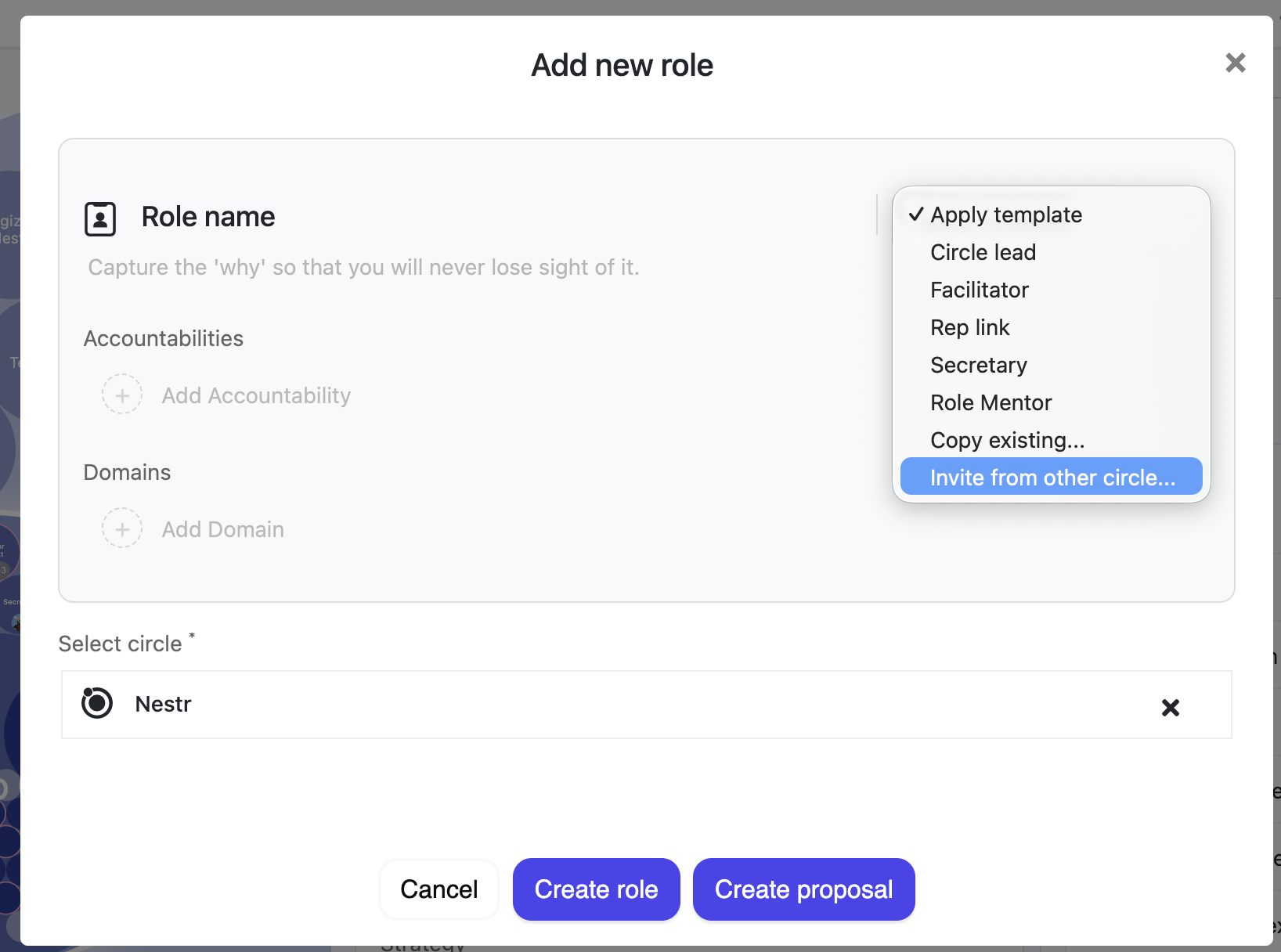
To break the link, turn off the Invited cross link field on the role. It then keeps everything it has and becomes an ordinary role of that circle, free to evolve on its own.
The same dropdown offers Copy existing.... That takes a one-time copy of a role and leaves it unconnected: you can edit it freely, and it will not follow the original. Copy when you want a head start; cross-link when the same role genuinely operates in two circles.
For coordination between several circles at once, you can also create a circle for that purpose and cross-link the relevant roles into it. That is an ordinary circle used deliberately, not a separate kind of object.
Nestr adapts its vocabulary to your way of working. In a Holacracy workspace this feature reads as a cross-link throughout. In other modes the same option is called Invite from other circle, and the panels read Linked role template and Used as template for. The behaviour is identical. See Holacracy and Sociocracy in Nestr.


.png)


