Nestr includes a built-in Scrum and Agile app that brings sprints, a backlog, and burndown charts to any team. Switch it on for a circle and its work board becomes a sprint board, with story points, epics, milestones, and a burndown that updates itself as stories close. There is nothing to install and no separate tool to sync.
Because every user story is also a regular Nestr project, sprint work stays connected to roles, accountabilities, and reporting across the rest of the workspace. You assign that work to roles, not just to individuals, so Scrum runs inside your organisation, not beside it.
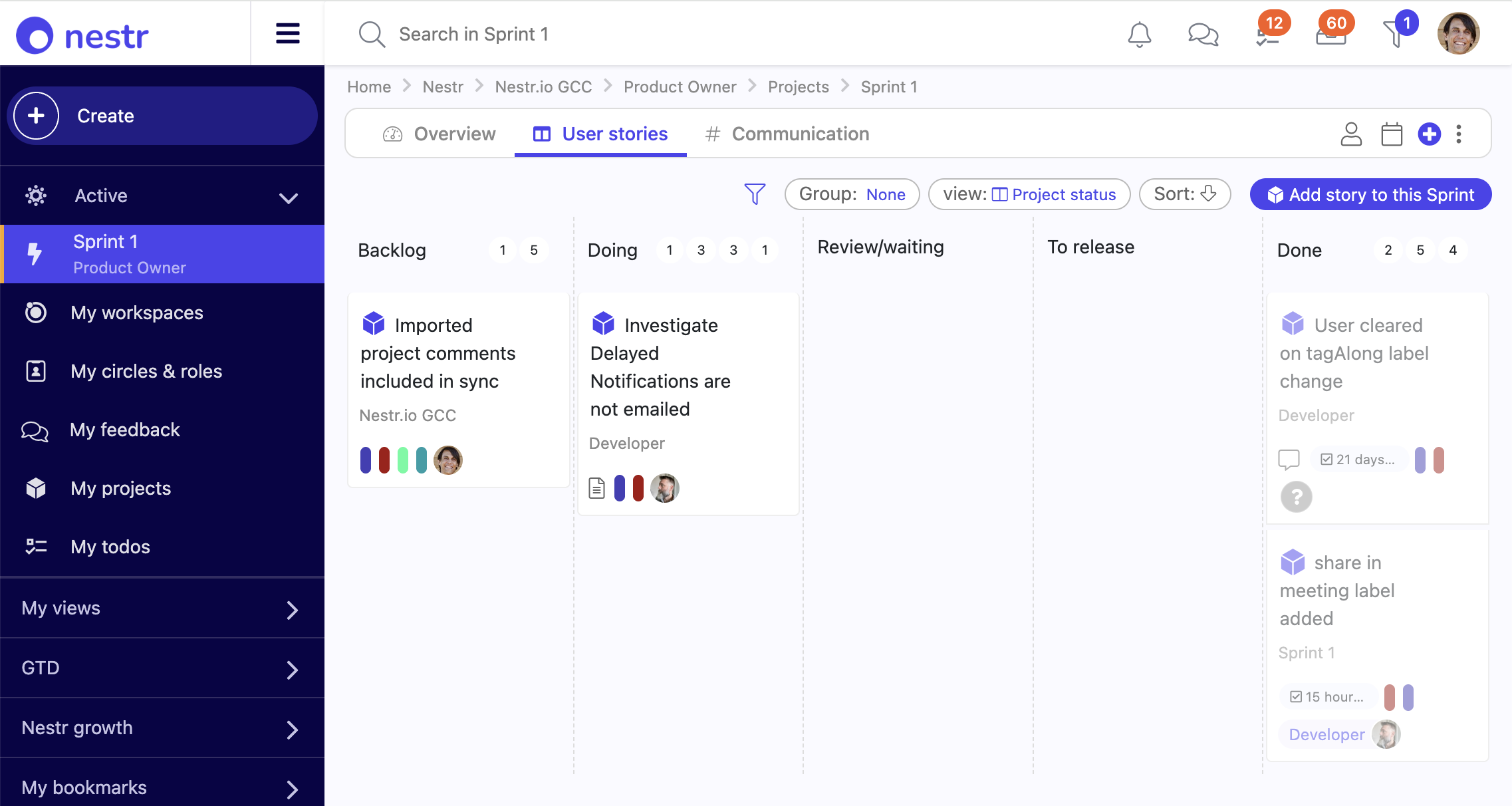
The Scrum and Agile app is a per-team toggle that adds agile project management to a circle. It adds three ways to group work, sprints, epics, and milestones, plus a user story work item with Fibonacci story points and a burn slider. Once enabled, the circle's Projects tab becomes a kanban sprint board grouped by sprint, with the backlog pinned to the side. Turn it on for one team or many, and leave the rest of the organisation on plain projects. The full walkthrough lives in the Scrum and Agile app guide.
A sprint is a time-boxed iteration with a start and end date, a sprint goal, and a points capacity. Drag a story from the backlog onto a sprint to schedule it, then move it across the To do, In progress, In review, and Done columns as work advances. It is the same kanban board Nestr uses everywhere, so the team learns it once. Every story also carries the standard project status, so it shows up in projects and todos, search, and reporting like any other work.
Standalone Scrum tools assign a story to an individual. Nestr assigns work to the role or circle accountable for it, and the people who fill that role are the ones who deliver it. A dedicated Scrum tool cannot do this, because it has no model of your roles and circles. You staff a sprint, an epic, or a milestone through the roles in your circle, so the team doing the work is the team your organisation already says is responsible.
Group the sprint board by role to see at a glance who owns what. Because one person can fill several roles, their sprint work across all of those roles rolls up in one place. And when a role changes hands, its stories and sprint commitments travel with the role, so nothing is orphaned when someone moves on or takes leave.
Epics and milestones group stories above the sprint. An epic is a scope axis, a feature or initiative that runs across several sprints, with its own Proposed, In progress, and Done status. A milestone is a time-boxed delivery target such as a release, version, or phase, with a term and a Released or Cancelled outcome. Open either one to see its stories grouped by sprint, so a whole initiative or release reads on a single screen.
Every sprint, epic, and milestone carries an automatic burndown. Total points sum from the stories linked to it, and points burned sum from each story's burn slider. Mark a story Done and its points burn in full, or slide it to show partial progress without changing status. The chart plots remaining points over time as a line, with a gauge view one click away. Paired with metrics and KPI tracking, a team gets a live read on delivery without a status meeting.
Yes. Sprint, epic, and milestone are labels, so you can rename them per workspace to match how your team talks, for example Sprint to Iteration or Milestone to Release. The new name flows through the buttons, the board, and the story fields. You can also add your own fields to a user story, extend the board with extra status columns, or switch off a grouping you do not use. None of it needs engineering.
Scrum is additive. A team running sprints keeps its roles and circles, meetings, policies, and notes, and gains agile planning on top. Nothing is siloed in a separate app: the sprint board and the organisation chart are the same system, so a story estimated on Monday shows up in workspace reporting the same day.


.png)


