
Accidents happen. Someone deletes a role, a circle, or a proposal by mistake. Deleted items are not wiped from your workspace, so in nearly every case you can find what was removed and put it back yourself.
The moment you delete something, a message appears with an Undo button that restores what you just removed. This works for bulk deletes too, where one click brings back the whole batch. See Bulk actions.
That message closes itself after a few seconds. Once it is gone, use one of the routes below. Nothing is lost in the meantime.
Every deletion is recorded in the activity stream of the item it happened in, with an undo arrow beside it:

This works as long as the deletion is still visible in the stream. For older deletions, or when you do not know where the item used to live, search for it instead.
Search hides deleted items by default. To bring them into view, open the filter icon above any list or search view and use the Deleted group:
Picking one of these shows only what was deleted in that window, so live items drop out of the list and you are looking at the deleted set on its own. The filter icon shows a count while a Deleted option is active, and the choice lives in the search itself rather than being remembered for next time. It works in a circle, in a saved view, and in global search.
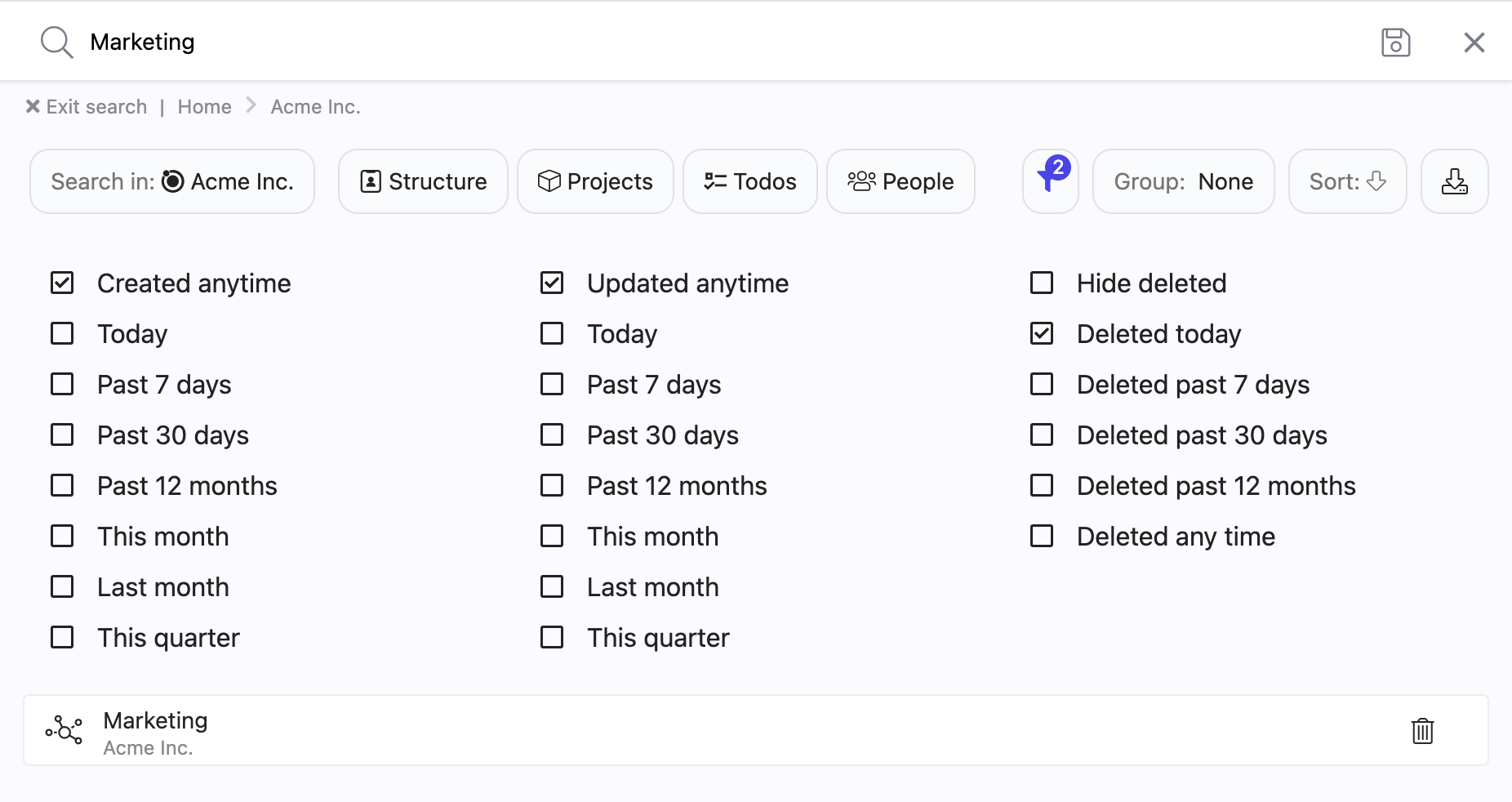
Deleted results are marked so you never confuse them with live work: the title is greyed out and a small trash icon sits in the row. Hover the icon to see when the item was deleted and by whom, and, when it went down as part of a larger deletion, which item it was deleted with.
Click a deleted result to open it. It opens read-only, with a banner across the top saying when it was deleted and by whom, and carrying a Restore link.
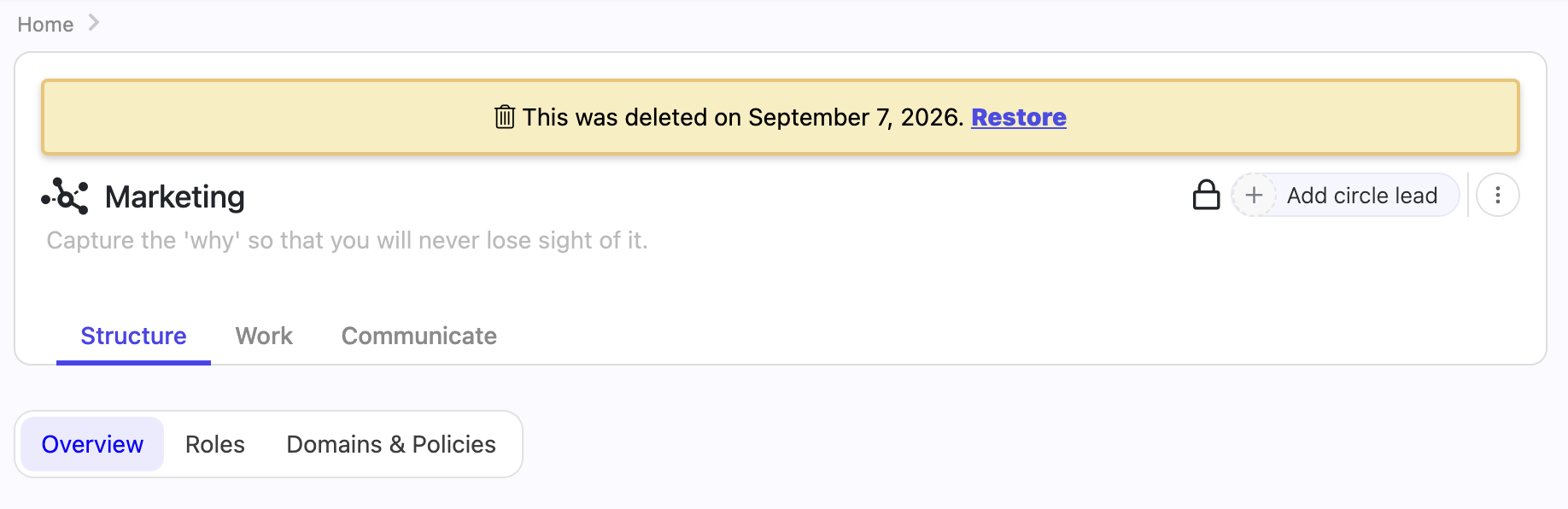
Restore puts the item back where it was, live again for everyone. Until you do, the item cannot be edited, moved, commented on, or have anything added under it. The comment box shows a note explaining why it is locked.
Restoring takes the same right as deleting. If you do not have delete rights on the item, the banner shows no Restore link, and the request is refused even if you reach it another way. Ask someone who does, usually the circle lead or a workspace admin. See Rights management for how rights are granted.
Deleting a circle deletes everything inside it as a single event. Open one of those items and its banner says it was deleted when the circle was deleted, and links to that circle. You restore the circle, not the individual item: bring the circle back and everything that went down with it returns in one go, in the same shape it had.
An item that was deleted on its own before the circle went has its own deletion event. It stays deleted when you restore the circle, and you can find it and restore it separately with the Deleted filter.
Open a deleted circle and its page shows the roles, projects and todos that were deleted with it, marked and read-only, exactly as they stood at the moment of deletion. So you can check what a circle contained before deciding whether to bring it back, and the Restore in the banner restores precisely the set you are looking at.
If you write searches by hand, the Deleted group is a shortcut for these operators, which you can also type yourself or save into a view:
deleted:true shows only deleted items, with no date limit.deleted:today, deleted:past_7_days, deleted:past_30_days and deleted:past_12_months show only items deleted in that window.include-deleted:past_30_days shows live items and those deleted in the window, together in one list. include-deleted:all does the same with no date limit. This form is typed only, the filter panel does not offer it.See Search in Nestr for the rest of the search syntax.
If you only need to see what a deleted role, circle or policy contained, you don't need to restore it. Governance lookback shows your roles, circles and policies as they were on any date, including items that were later removed, complete with the purpose, accountabilities and domains they had at the time. Lookback is read-only, and it answers the question "what did we look like then". The Deleted filter answers "where did this particular item go, and can I have it back".
Between undo, the activity stream and the Deleted filter, you can recover almost anything yourself. Contact us if none of them finds what you are looking for:


.png)


