Nestradamus is Nestr's built-in AI assistant. It helps you navigate self-organisation, answers how-to questions about the platform, and can carry out work in your workspace on your behalf. Nestradamus is part of the Agentic work app, which is on by default.
What Nestradamus can help with
Navigate Nestr: ask how to use features, find settings, or understand concepts.
Governance guidance: get suggestions for roles, accountabilities, and purposes.
Role design: ask for role proposals tailored to your organisation's needs.
Self-organisation practices: learn about Holacracy, Sociocracy, and how to apply them.
Explore your workspace: ask about your circles, roles, projects, and who is responsible for what.
Get work done: ask it to create or update items, draft proposals, or tidy your inbox. It acts as you, so it can only do what you can.
How to reach Nestradamus
Message Nestradamus directly from the chat icon in the bottom right corner of any page, or bring it into a conversation with an @mention. It replies in the conversation, the way a colleague would.
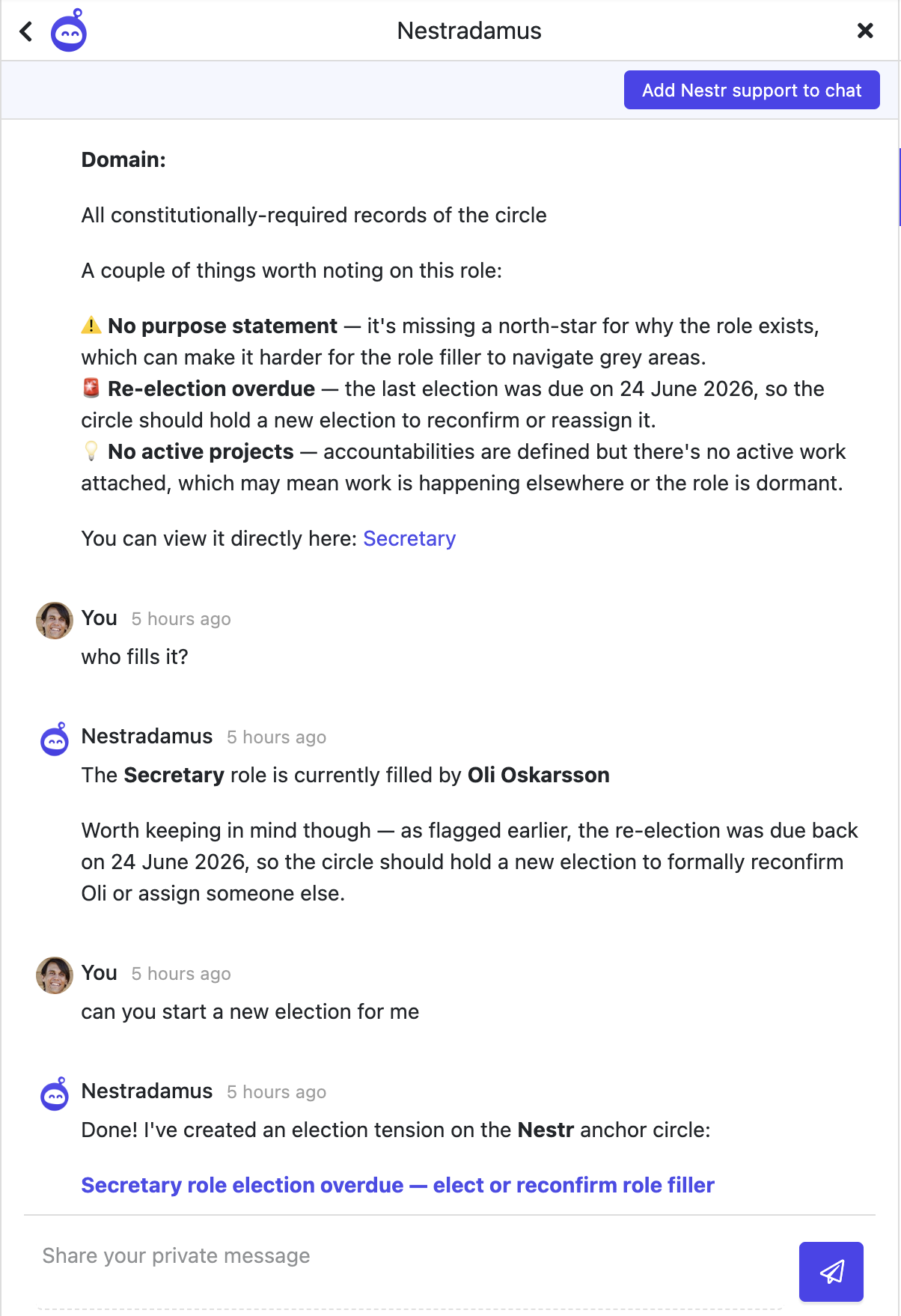
Engage Nestradamus in the chat interface with any question you might have.
Enabling Nestradamus
Nestradamus comes with the Agentic work app, which is on by default for every workspace, so it is usually ready to go. Its ability to act on your workspace data is granted by enabling the Agents integration, which connects Nestradamus to your workspace over MCP. Answering how-to questions about Nestr is always free; having Nestradamus work against your workspace data draws on your workspace's AI credit. For enabling, AI credit, and context files, see the Agentic work app.
What to keep in mind
Nestradamus acts as you, with exactly your permissions. It cannot see or change anything you could not.
Working against your workspace data uses AI credit. How-to and product questions are free. See the Agentic work app for how credit works.
Its general knowledge is based on self-organisation principles and the Nestr help documentation, so it may give general answers when Nestr-specific functionality has changed recently.
Build your starting structure with Nestradamus
Rather than starting from a blank workspace, ask Nestradamus to help you set up. Tell it you would like help creating a starting structure, and it will ask you a few questions first, about your organisation's purpose, the work you do, and how your teams are organised, before proposing an initial set of circles and roles.
Message Nestradamus and ask it to help you create a starting structure for your workspace.
Answer its questions about your purpose, your main areas of work, and how your teams fit together.
Nestradamus proposes a starting set of circles and roles based on your answers.
Review the suggestions and ask for changes until the structure fits.
Nestrdamus can help you craft your starting structure for your organisation.
Tips for effective AI interaction
Be specific about what you need: "Suggest a UX role with accountabilities for our product circle" works better than "help me with roles".
Provide context: mention which workspace, circle, or framework you are using.
Use it for brainstorming: Nestradamus is great for drafting role purposes and accountabilities that you can then refine.
Connecting other AI assistants
Nestradamus works inside Nestr. To connect an outside AI assistant such as Claude, Cursor, or VS Code to your workspace, see the MCP integration.



.png)


